Ergonomic Chair Buying Guide: What Actually Matters
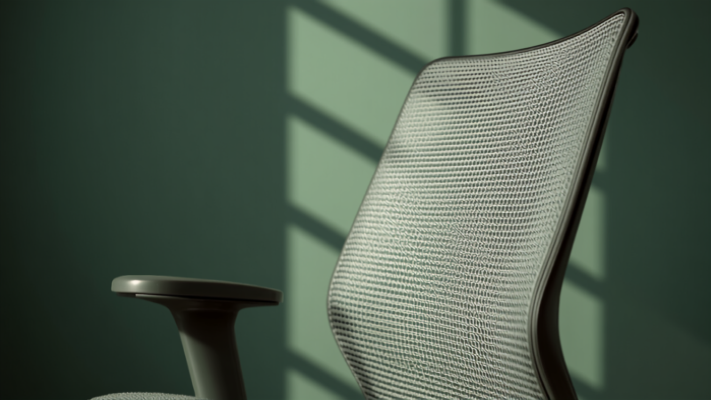
"Ergonomic" is one of the most overused words in furniture marketing. It's printed on chairs that cost $90 and chairs that cost $1,400, which tells you it isn't a standard — it's a sticker. If you sit for six or more hours a day, the difference between a chair that actually supports your spine and one that just looks like it does will show up in your lower back within a few months, not years.
Here's what to actually check before buying, in the order it matters.
1. Lumbar support that adjusts, not just exists
Almost every chair now has a bump in the backrest and calls it lumbar support. The question is whether that bump moves. You want height adjustment (so it lines up with the curve of your specific lower back) and ideally depth adjustment (so it can push firmly against you instead of just being nearby). A fixed lumbar bump on a chair that doesn't fit your torso length is worse than no lumbar support at all, because it pushes on the wrong spot.
2. Seat depth, not just seat height
Seat height gets all the attention because it's the easy spec to advertise. Seat depth is the one that actually causes problems. If the seat pan is too long for your thighs, the front edge digs into the back of your knees, which cuts circulation and is a common reason people end up perched on the front third of a chair they paid good money for. Look for a chair with adjustable seat depth (a sliding seat pan) if you're under about 5'6" or over 6'2" — standard depth is tuned for the middle of that range.
Quick test in-store or on delivery
- Sit all the way back — there should be a gap of 2-3 finger-widths between the seat edge and the back of your knee
- Push into the lumbar bump — it should meet your lower back, not your mid-back
- Rest your arms on the armrests with shoulders relaxed — if your shoulders shrug up, the armrests sit too high and can't be fixed
3. Armrests that move in more than one direction
Height-only armrests are the minimum, not the standard. What actually helps is width adjustment (so they can move in to support your elbows at your sides, not out at shoulder width) and pivot (so they can angle in toward the desk when you're typing). Fixed-width armrests set too wide are a quiet cause of shoulder and neck tension, because your arms drift outward all day trying to reach them.
4. Recline tension you can actually set
A chair that only reclines at one fixed resistance either fights you or lets you flop back with no support, depending on your body weight. Adjustable recline tension lets the chair match your weight, so leaning back is controlled rather than sudden. This matters more than people expect — an uncontrolled recline is why some people avoid reclining altogether and just sit rigid all day, which defeats the point of having the feature.
What you can safely ignore
Mesh vs. foam is mostly a temperature and personal-feel preference, not an ergonomic one — both work fine when the fit is right. Headrests are nice for reclining and browsing, but irrelevant while actively working at a keyboard, since your head is forward, not back. "Memory foam" as a marketing term on a seat cushion is not a meaningful spec; what matters is density and how it holds shape after a few months, which you can't tell from a listing.
Price ranges, realistically
Under $150, expect fixed lumbar and non-adjustable seat depth — fine for occasional use, not for eight-hour days. In the $250-450 range, adjustable lumbar depth and seat depth start appearing, which is the range where the chair starts actually adapting to your body instead of the other way around. Above $700, you're mostly paying for build materials, warranty length, and brand — the ergonomic adjustability plateaus well before that price point.
Bottom line: buy for adjustability, not for the word "ergonomic" on the box. A chair with four things you can actually tune to your body will outperform a more expensive chair with none.
Not sure where to start? Try our free desk & chair height calculator for a starting point based on your height.
Working with a strict budget? See our breakdown of what adjustability to realistically expect under $300. Outside the average height range? See our fixes for chair height when you're very short or tall. Not sure if your current chair still holds up? See how often to replace an office chair.
Chairs that match this checklist
Two options that check most of the boxes above — verified against current Amazon listings, not hands-on tested by us (see our methodology). For a deeper price-tier breakdown, see our full decision guide and $300 budget comparison.
COLAMY Atlas Ergonomic Office Chair
Why we picked it: 4D armrests (height, width, depth, angle) — a real differentiator at this tier, not marketing language.
- Adjustable lumbar support, seat height, and seat depth
- Adjustable headrest, breathable mesh back
Hbada P5 Ergonomic Office Chair
Why we picked it: height-adjustable lumbar support, moves up/down and front/back — a real differentiator at this tier, not marketing language.
- Adjustable armrests and headrest, integrated retractable footrest
- Breathable mesh back, recline up to 155°
Frequently Asked Questions
What matters most when buying an ergonomic chair?
Adjustable lumbar support (height and depth) matters most, followed by seat depth, armrest adjustability, and controllable recline tension.
Is mesh better than foam for an office chair?
Neither is inherently better — it's mostly a temperature and personal-feel preference, not an ergonomic factor, as long as the adjustability and fit are correct.
Do expensive chairs over $700 have better ergonomics?
Not necessarily. Ergonomic adjustability tends to plateau around the $250-450 range; above $700 you're mostly paying for materials, warranty, and brand.
Comparing our specific picks side by side? See Colamy vs. SIHOO vs. Gabrylly. Not ready to spend $250+? See real upgrades starting under $20.