Build a better workspace. Without guessing what to buy.
Tell us what you're trying to solve and we'll narrow it down to the chair, desk, or monitor arm we'd actually choose — or jump straight to the three products we'd start with.
The products we'd start with
Researched against current listings and specs — not hands-on tested by us (see our methodology). Verify current price before buying.
FlexiSpot Electric Standing Desk
- Memory height presets
- Seamless 48x30" desktop
- 5-year frame/motor warranty
- Not ideal for very tight rooms
Our verdict: the desk we'd start with for most setups — most of our other picks build around it.
Check price on Amazon → Full guide →COLAMY Atlas Ergonomic Chair
- 4D adjustable armrests
- 300 lb weight capacity
- BIFMA certified
- Not ideal for over 300 lbs
Our verdict: a real differentiator at this price tier.
Check price on Amazon → Full guide →HUANUO Dual Monitor Stand
- VESA 75/100mm compatible
- Full tilt, swivel, rotation
- C-clamp or grommet base
- Not ideal for non-VESA monitors
Our verdict: the easiest first upgrade — pairs naturally with the desk above.
Check price on Amazon → Full guide →Shop by Setup
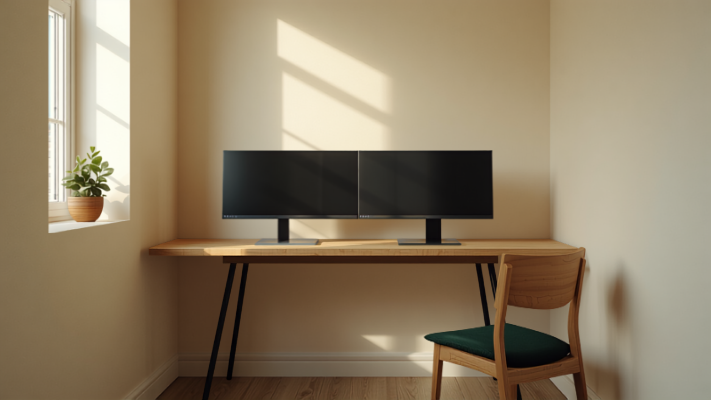
The combination our own guides link back to most often — not a manufactured bundle price, just the products that pair naturally.
Real upgrades starting under $20
Cable clips, monitor risers, footrests — verified, priced honestly. Plus a free downloadable checklist.
Every part of the setup, covered
Figure out your numbers first
Setup Finder — get your personal recommendation
Height, budget, space, and hours sitting — four questions, and we'll route you to the exact chair, desk, and monitor arm picks for your situation, not a generic list.
Or use the individual calculators directly — the same math the Setup Finder runs on:
Height Calculator
Enter your height, get starting points for chair, desk, and monitor height.
E.G. 175CM → SEAT 44CM Calculate →Setup Cost Calculator
Split any total budget across chair, desk, and monitor arm sensibly.
E.G. $600 → $270 / $240 / $90 Calculate →VESA Compatibility Checker
Check if a monitor arm actually fits your monitor before you buy it.
E.G. 100×100MM STANDARD Check compatibility →Adjustability isn't a marketing word here.
It's the whole checklist.
is roughly where depth-adjustable lumbar support starts appearing at all — below that price, "ergonomic" is usually just a word printed on the box.
Start Here
One place to start, if you're short on time.
For most people upgrading from a dining chair or an old mesh chair that's stopped helping — our full ergonomic chair guide covers what to check before buying anything.
What to look for
- Independent lumbar height/depth adjustment
- Seat depth adjustment, not just height
- Adjustable armrests
Common gaps under $200
- Lumbar support that's fixed, not adjustable
- Armrests that only go up/down
The Chair-Fit Checklist
The 60-second in-store or delivery-day test from our chair guide, printable — five checks before you decide a chair fits.
Get the checklist →Setups get old. Advice shouldn't.
Most home office content online was written in 2020 and never touched again. Products changed, prices changed, and a lot of that advice is quietly wrong now. Deskfield exists to keep the guides current — updated as gear, prices, and what actually works, changes.